01
Too many handoffs. Not enough clarity.
In many schools, attendance lives in one place, coursework in another and grades in a third. Every handoff between them is another chance for information to fall out of date.
Student information system + learning management
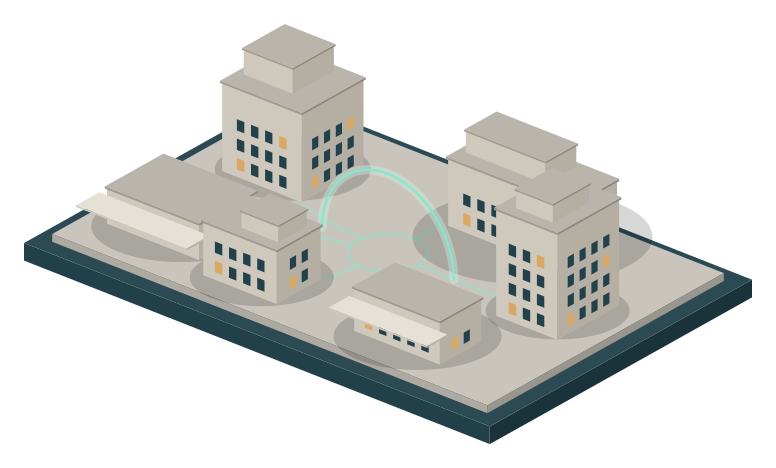
Bring student records, learning, and everyday school operations into one connected experience.
Sample data
Homeroom 8B · Attendance
22 / 24 in school
21 present1 late2 absent
Explore the campus
01
In many schools, attendance lives in one place, coursework in another and grades in a third. Every handoff between them is another chance for information to fall out of date.
02
The student information system and the learning platform share one student record. Rosters, attendance and grades move between them without being typed in twice.
03
A teacher marks a student late. The office totals update, and that student’s family sees today’s status. Each role sees only the part it needs.
04
It all comes together in one workspace. Try it yourself with sample data, just below.
Product preview
Switch roles to see how one school day looks to each person. Try marking Jordan late as the teacher, then open the Administrator and Parent views.
The interactive preview needs JavaScript. It shows administrator, teacher, student and parent views of one sample school day.
Front-end simulation with invented data. Nothing is saved, sent or synced, and the role tabs are a viewpoint switch, not a sign-in.
Features
Take attendance in seconds and build conflict-free timetables. Each period shows whether attendance has been taken.
Weighted categories roll up into report cards and transcripts, ready to release when you are.
Report card · Science · Fall term sample
“Careful, consistent lab work. Keep building confidence in unit tests.”
Publish work, collect submissions online, and return feedback with rubrics.
Science · Lab report
Due Friday · Rubric attached · 24 students
22 of 24 submitted
Jordan Lee · submitted Thursday 18:42
Feedback returned
“Careful measurements and a well-argued conclusion.”
Announcements and messages reach families, alongside live attendance and released grades.
Preview only. Nothing is sent.
Dashboards that bring attendance and coursework together, so patterns are easy to notice and support can start early.
Single sign-on with Google Workspace and Microsoft 365, plus data import and export for the tools you already use.
SIS
LMS
Security & privacy
We treat student records with the care they require: access is set by role, and your data stays yours.
| Information | Admin | Teacher | Student | Parent |
|---|---|---|---|---|
| Attendance | All | Own classes | Own | Own child |
| Released grades | All | Own classes | Own | Own child |
| Draft grades | All | Own classes | Hidden | Hidden |
| Fees & invoices | All | Hidden | Hidden | Own child |
Illustrative only. Each school sets its own permissions.
Getting started
We learn how your school runs and tailor the setup to your structure, grading policy and calendar.
We import students, staff, classes and historical records from your current systems or spreadsheets.
Hands-on sessions for admins and teachers, plus guides for students and parents.
Go live with ongoing support from a team that knows your school.
FAQ
Yes. Each module works on its own, and you can add the other whenever you’re ready. Using both gives you automatic syncing of grades, rosters and attendance.
It’s designed to work for a single school as well as for multi-campus groups and districts that need consolidated reporting.
It depends on school size and how much historical data you bring. We’ll give you a clear timeline during the discovery call.
Yes. Data migration is part of onboarding. We work from exports of your existing system or from spreadsheets.
The platform is fully responsive and works in any modern browser on phones, tablets and computers.
Request a demo
Book a walkthrough built around your school’s own workflows.